Install eSIM on your Android device

How To Install esim2trip Mobile eSIM on your Android device with QR code
Step-by-step eSIM installation guides – Android device

For Pixel 3a running Android 10. Please make sure your device’s Android version and SIM Manager are up-to-date.

01

Tap Network & internet from Settings


02

Tap + next to Mobile network

03

Tap Don’t have a SIM card?

You might be asked to use dual SIM for the next step but tap “No” and stick to 1 SIM. You can activate 2 SIM later in Settings if you want to.

04

Scan the QR code we provide

* WiFi connection required

05

Tap Activate to add the eSIM to your device


06

Choose a number (SIM) to use

* Select your original number (SIM card).* This step won’t be shown if you’ve chosen to use 2 SIMs.

How To Use Airhub Mobile eSIM For Mobile Data

Follow these steps after you arrive at your travel destination.

01

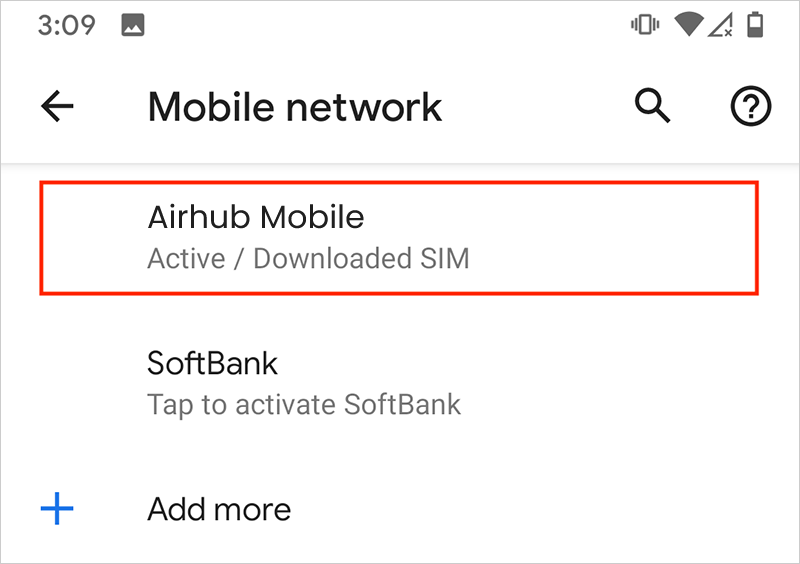
Under Mobile network, tap Airhub Mobile (Downloaded SIM) and activate it.


02

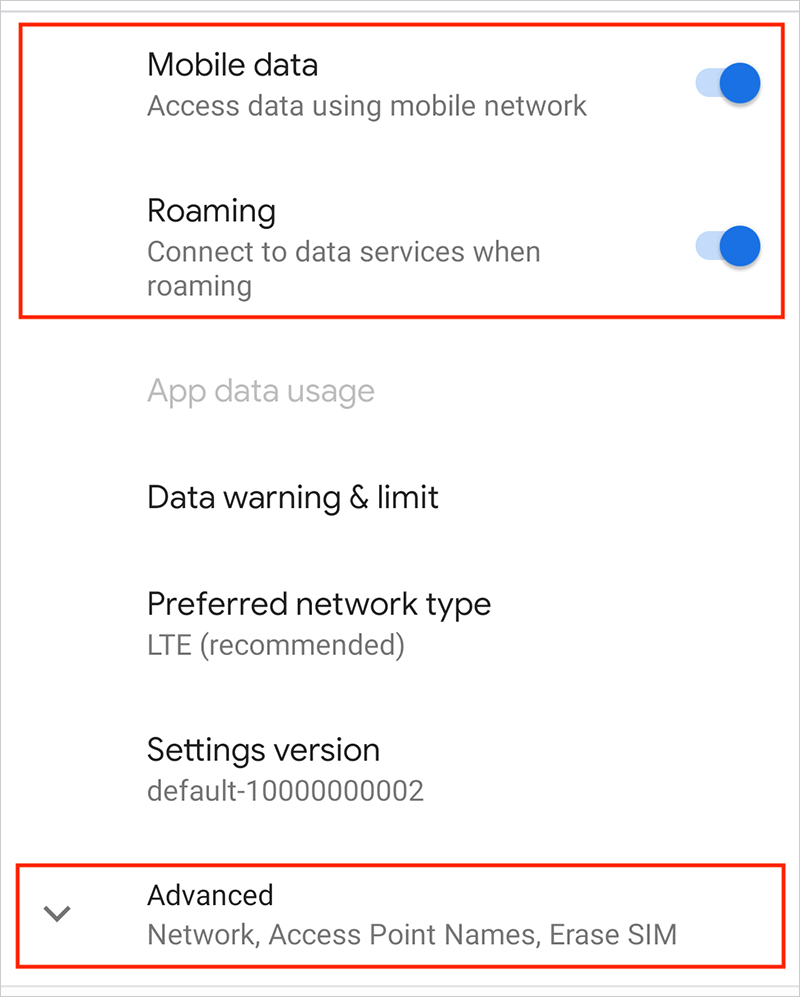
Make sure Mobile data and Roaming are both turned on. Then scroll down and tap Advanced.


03

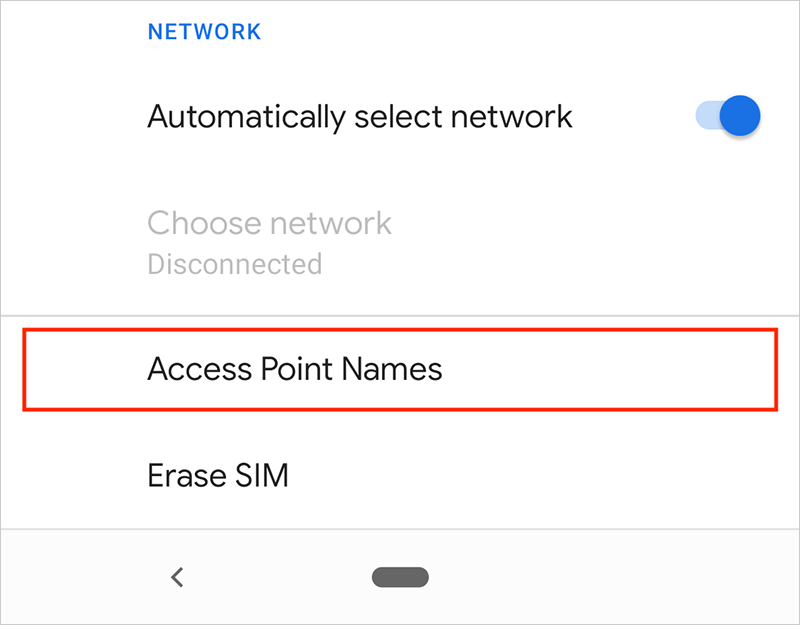
Tap Access Point Names.

04

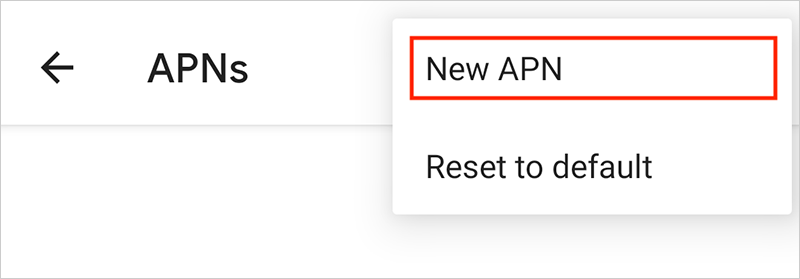
Tap the three dots icon on the top right corner and select New APN.

05

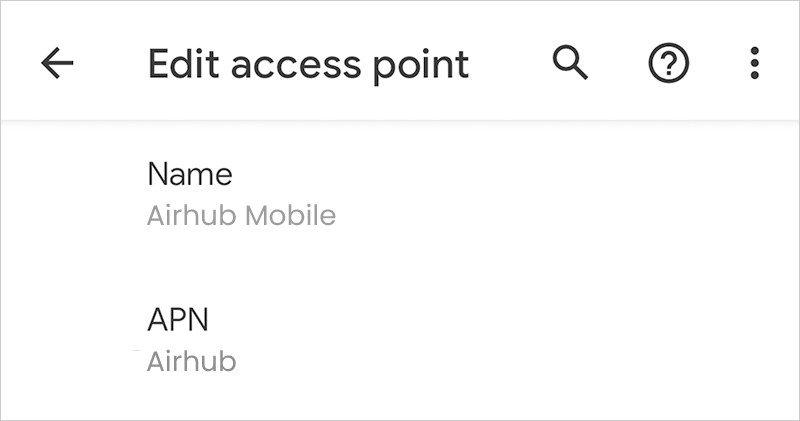
Enter “esim 2 trip Mobile” for Name and “esim2trip” (all lowercase) for APN.

06

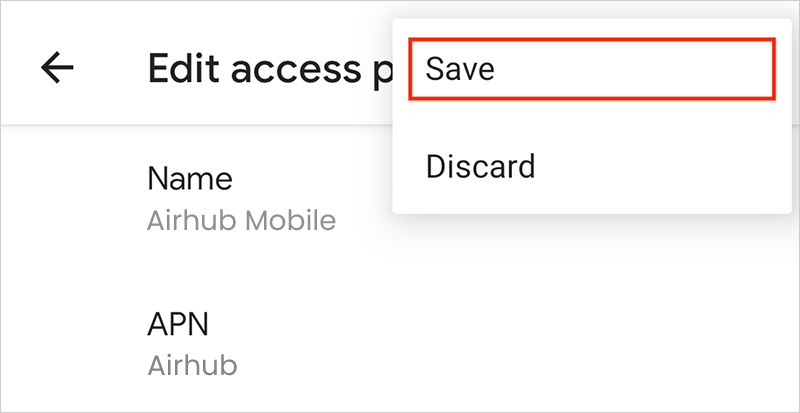
Tap the three dots icon on the top right corner and hit Save.

07

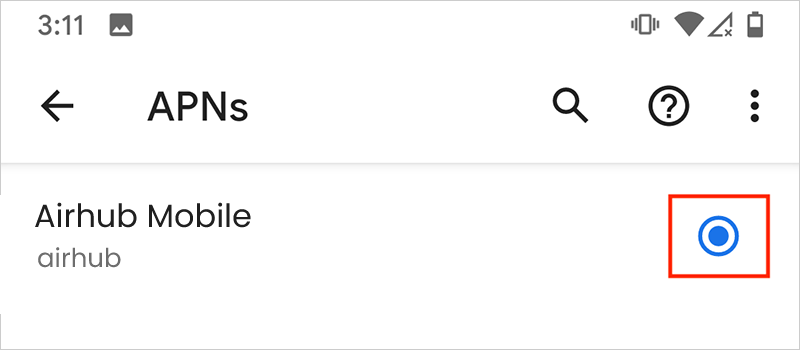
Select the APN named Airhub Mobile you just created.